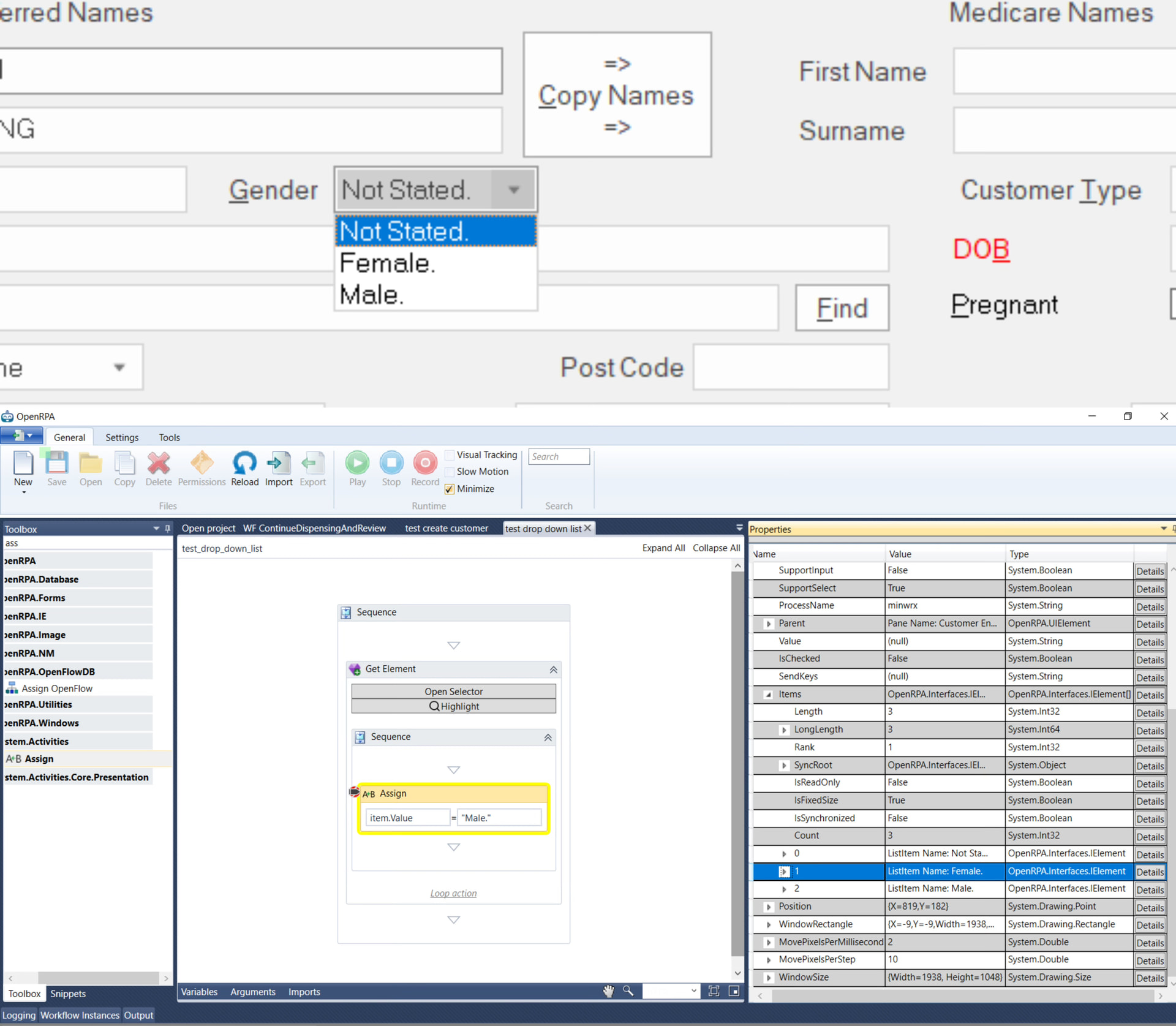
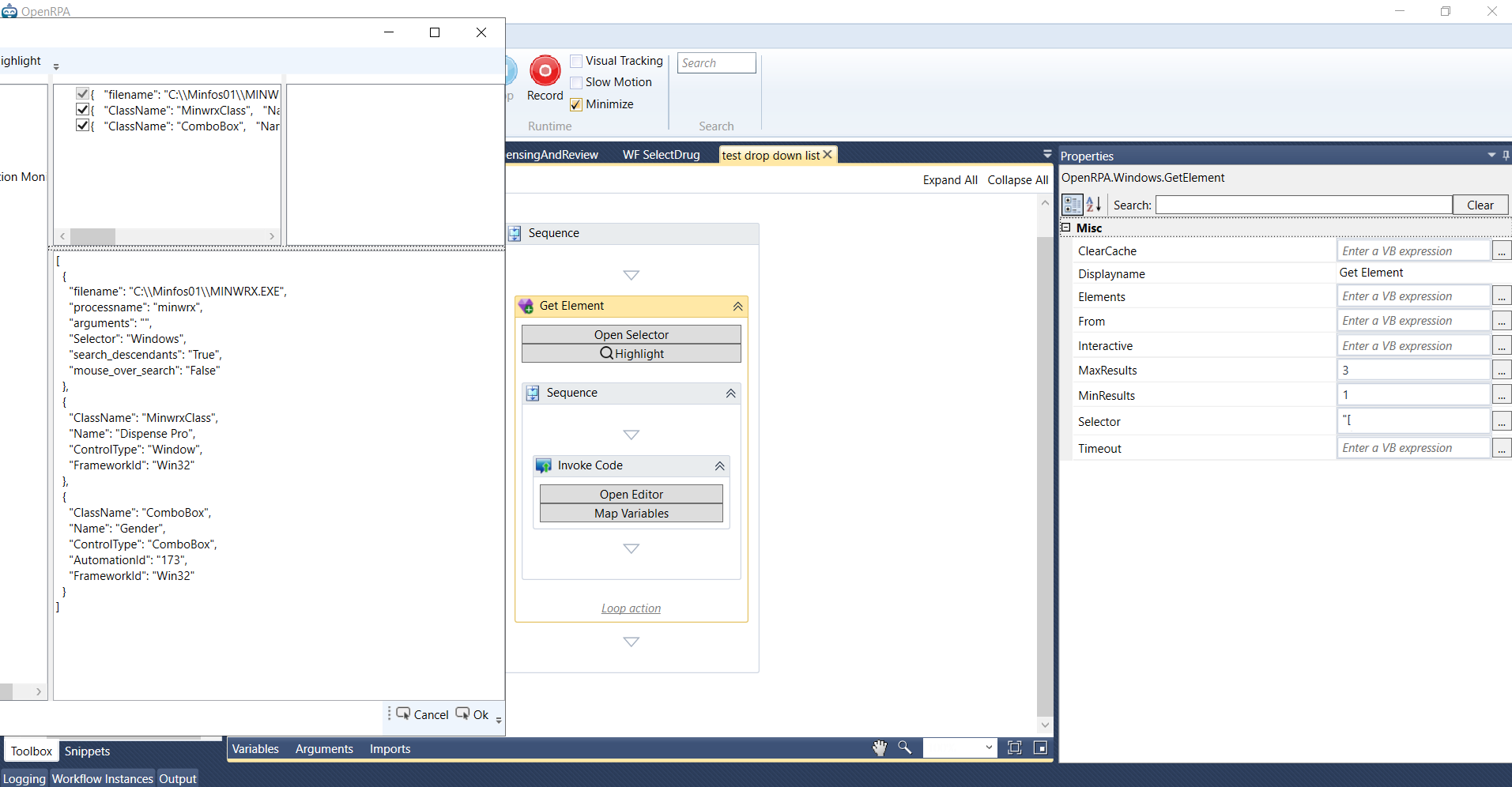
I am using Windows Get Element to get the Gender ComboBox. In debug mode, I can see that the element has SupportSelect = True, and under Items I can see the three options:
Not Stated.
Female.
Male.
However, assigning the value does not seem to change the selected option.
I tried:
item.Value = “Male.”
item.Text = “Male.”
item.name =“Male.”
I also tried looking for item.Text, but item.Text does not appear as an available property for this element. I can only see properties like Name and Value. The current Value is null.
Here is what I can see in the debugger:
SupportInput = False
SupportSelect = True
Value = null
Items length/count = 3
Items[0] = ListItem Name: Not Stated.
Items[1] = ListItem Name: Female.
Items[2] = ListItem Name: Male.
My question is: for a Windows ComboBox where SupportSelect is True and the options are visible in item.Items, what is the correct way to select one of the ListItems?
item.Value should be the correct way. Using Assign, you could also try setting item.SelectedIndex to 1 or 2. Or using invoke code, you could also try (if using VB, use Items[1] and add a ; if using C#)
item.SelectItem(item.Items(1))
What concerns me is the SupportInput = False. This is normally a sign that this field is read-only and should not be changed, so it could be me checking for that in the code. See if one of the above “bypasses” that check.
Should the selector stop at the ComboBox when using Value / SelectedIndex / SelectItem, or should I target the ListItem instead?
Also, could SupportInput = False simply mean this ComboBox is not editable and only supports selecting from the dropdown, rather than meaning it is read-only?
If direct programmatic selection is not possible, what workaround would you recommend in OpenRPA: expanding the dropdown and clicking the ListItem, using SendKeys, or another method?
If you click tab on the keyboard until you get to this field, can you then change the value by using the arrow key up/down?
Most likely, you need to use a mouse to do this. If you are lucky, you can do that programmatically (in OpenRPA, that means Virtual set to true, which is the default value). So once you get the ComboBox, use “Click Element” and see if the dropdown opens. If not, go to the Virtual property on the Click Element and change it to False. Does the drop-down menu then open?
If the first option works, you can use “Type Text” ( Overview of TypeText Acitvity | OpenIAP Documentation ) to use keyboard shortcuts to set the value. If the second or third option works, then you can use Get Element / Click Element to open the menu and select the value you want.
If only the last option works, be aware it’s using your mouse. This means it can break if you’re using remote control software, it can break if you have multiple monitors, and there is a high chance your machine needs to be running with 100% scale (Known Issues | OpenIAP Documentation).
Thank you for the detailed explanation. The first method worked. After focusing the ComboBox, I was able to change its value successfully by using the keyboard through the Type Text activity.
In Minfos, this particular ComboBox responds to the left and right arrow keys rather than the up and down arrow keys.