Good day
I have a OpenCore setup that have been running for quite a while. Currently v1.5.9.
My one client has a noderedagent running as daemon (windows server os as service called “noderedagent”).
The client lost the server and I’m trying to add back the agent again:
- Adding the agent on the new machine works and is online in OpenFlow under agents
- When I run the noderedagent package in Visual Studio code, NodeRed starts up and I can see the client flows
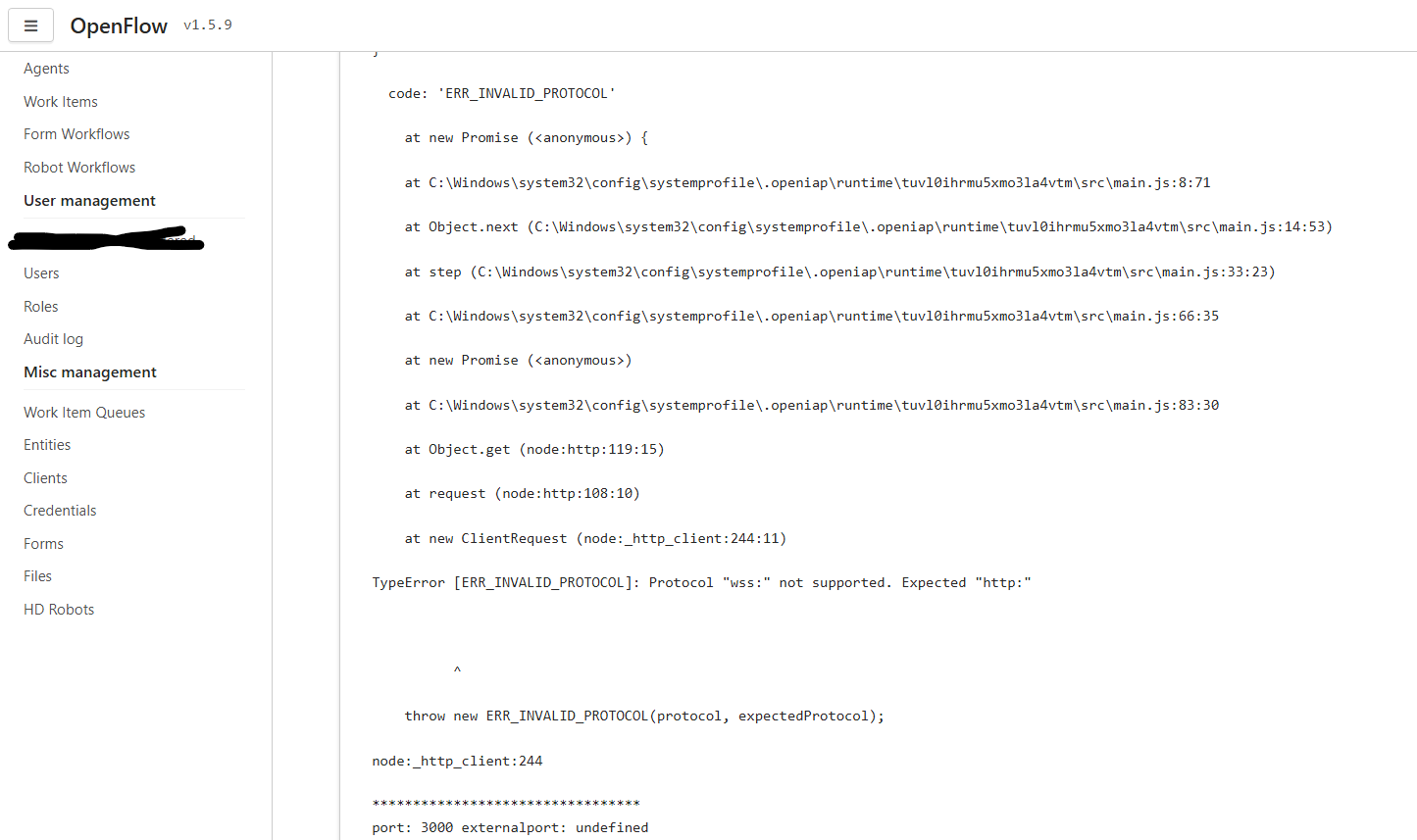
When I then try to add the package through the OpenFlow interface, I get the following error:
I’ve had the exact same error in the previous setup when migrating from v1.4: OpenFlow and NodeRed Local: Errors when creating from OpenIAP Agent
But I can’t remember what the real fix was? I did clone the lastest package from Github in Visual Studio code and published the latest package to OpenFlow.
But the package runs in Visual Studio code but fails to run when initiated via OpenFlow.
What does the %HOME%.openiap\config.json file say for the SERVICE (so inside the C:\Windows folder… cannot remember the full path)? Is it ws or http?
Hi @Allan_Zimmermann
Currently:

Path to file: C:\Windows\System32\config\systemprofile.openiap
It even doesn’t work when changing to wss://
In Visual studio the package works with the following apiurl: wss://integrator.mdrdigitals.com/ws/v2
in the screenshot // is missing ?
Hi @Allan_Zimmermann
Added // to the url, still the same issue
And what happens if you change wss to https? (Remember you need to stop the service before making changes.)
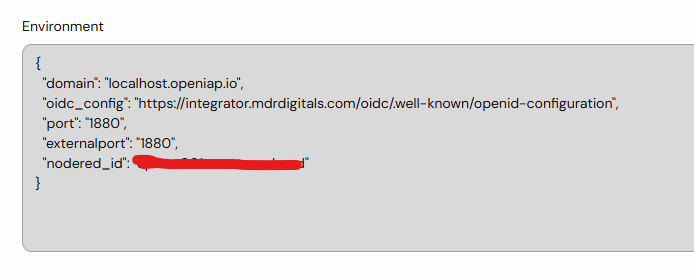
Okay, in the meantime I got the agent to run by adding the following environment variables in opencore settings on the agent:
I also deployed a nodered agent package that you did for me last year (therefore not running on the latest noderedagent package cloned from GitHub).
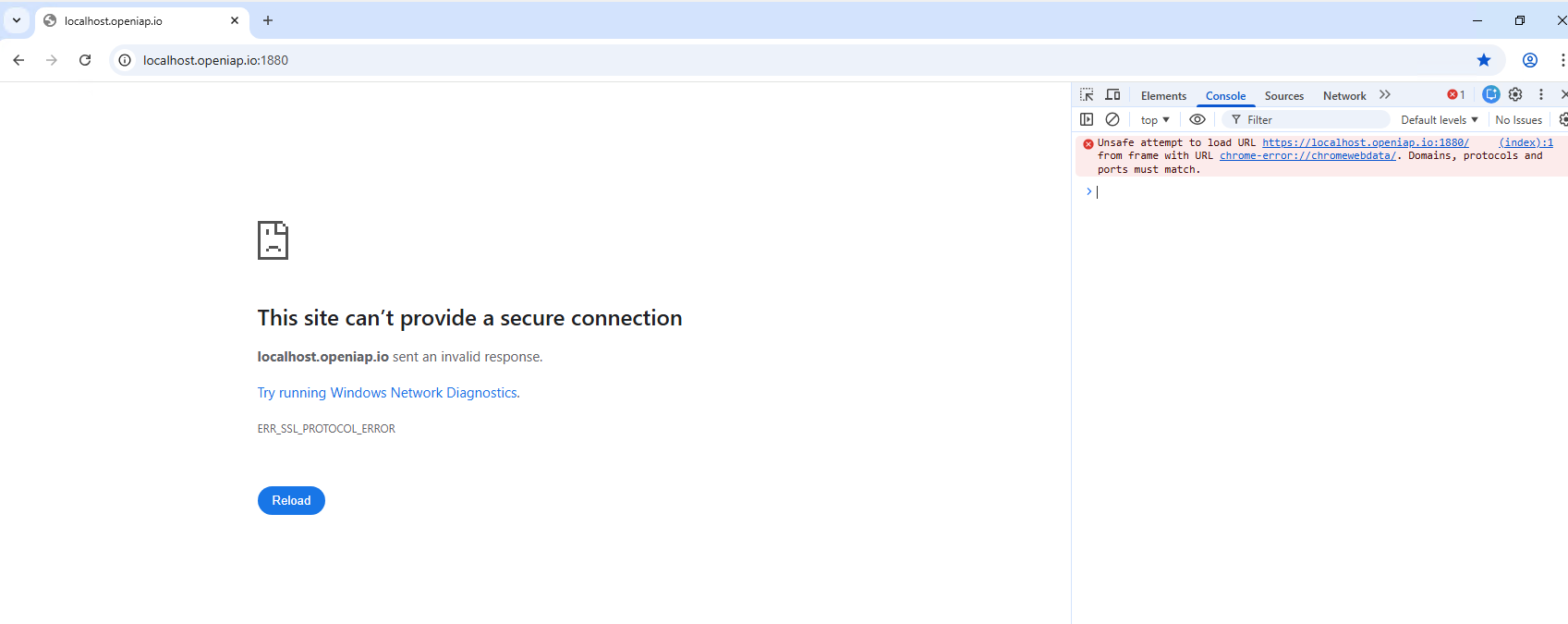
But now I am back to an error I had a while back where I get ERR_SSL_PROTOCOL_ERROR in Chrome:
Now I just need to remember what I did to fix this error when I had it (I think it is complaining about the localhost.
You cannot use HTTPS for localhost.openiap.io. You need to configure Node-RED to use HTTP (or change the URL in the browser and remove the ‘S’ in HTTPS).
Seems like this is a Chrome issue on the client PC. Chrome keeps on redirecting to https although http is entered even with all of the available online help. The node-red instance loads correctly in Microsoft Edge.
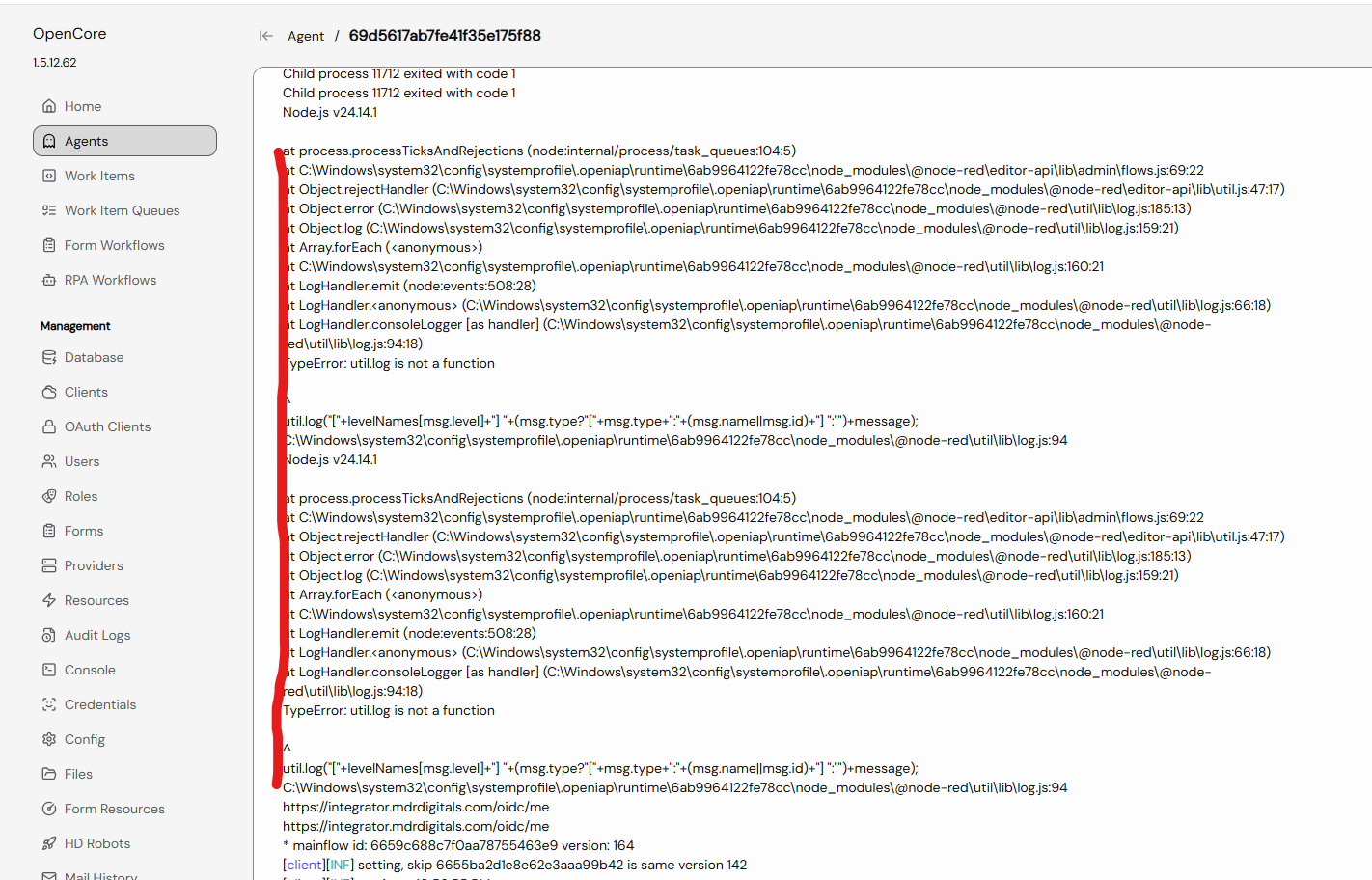
Now node-red exists in a few seconds after logging in:
But I will work through the errors and log a new ticket if I can’t seem to find the issue (likely myself that broke something somewhere).