Thank you, Allan.
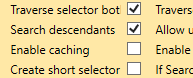
I did watch that video to get info about selectors, and I try to read here in this forum before asking, but the issue remains. I applied the change in the settings, and now it’s more unstable than ever.
So, the thing is, Open RPA was running fine, sometimes “forgot” the selector mid execution and started passing non completed files as exceptions because it was missing that field. That’s no problem, I could reprocess that.
But sometimes the app that was being automated crashed (this is something that is out of our hands), and I had to restart the app and then sometimes, like 1 every 5 times, re apply a new selector for a field. But Open RPA ran steady, usually 30 minutes or an hour at a time, until the other app went down.
After this change, now Open RPA is the one crashing constantly, like every 5 or 10 minutes. And even if I save the project, I pretty much have to set up the selector for that particular field manually, every time.
I do not have the privileges to make a memory dump to get the log, but will ask for that tomorrow. I don’t know if this change in the settings is related, but it did start after I messed around with that and with the selectors.
I now have done the flow for that field from scratch, both recording and manually, compared the selector, tried to give a more unique pathway so Open RPA can more successfully catch the field, but all of this to no avail.
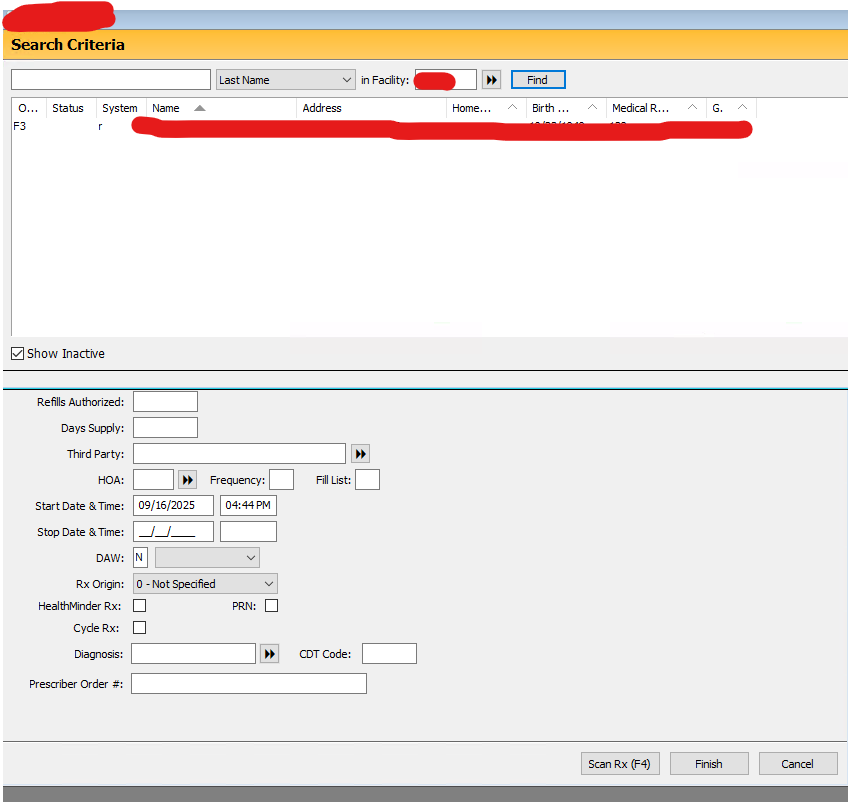
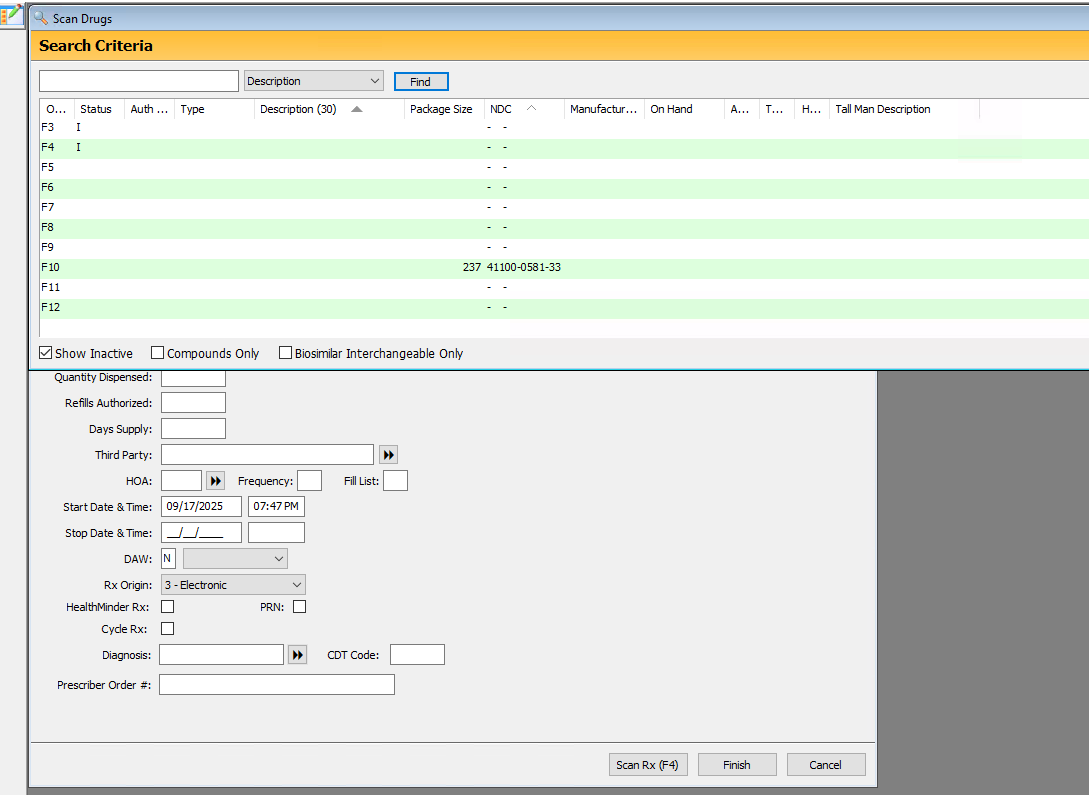
The idea is that we have to click the dropdown field, and then select an option. Funnily enough, selecting the item inside the dropdown menu always hits, but it doesn’t click the “Description” button until I set it up manually.
This is the code for the selector
[
  {
    "filename": XXXXXXXXXXXXXXXXXXXXXXXXXXXXXXXXXXX,
    "processname": "NRx191050019",
    "arguments": "",
    "Selector": "Windows",
    "search_descendants": "False",
    "mouse_over_search": "False"
  },
  {
    "ClassName": "ThunderRT6MDIForm",
    "Name": XXXXXXXXXXXXXXXXXXXXXXXXXXX
    "ControlType": "Window",
    "FrameworkId": "Win32"
  },
  {
    "ClassName": "MDIClient",
    "Name": "Workspace",
    "ControlType": "Pane",
    "AutomationId": "3244",
    "FrameworkId": "Win32"
  },
  {
    "ClassName": "ThunderRT6FormDC",
    "Name": "Scan Drugs",
    "ControlType": "Window",
    "AutomationId": "32768",
    "FrameworkId": "Win32"
  },
  {
    "ClassName": "ThunderRT6PictureBoxDC",
    "ControlType": "Pane",
    "AutomationId": "7",
    "FrameworkId": "Win32"
  },
  {
    "ClassName": "ThunderRT6PictureBoxDC",
    "ControlType": "Pane",
    "AutomationId": "11",
    "FrameworkId": "Win32"
  },
  {
    "ClassName": "ThunderRT6ComboBox",
    "Name": "Description",
    "ControlType": "ComboBox",
    "AutomationId": "12",
    "FrameworkId": "Win32"
  }
]
for contrast, this is the selector for the item inside the dropdown
[
  {
    "filename": "XXXXXXXXXXXXXXXXXXXXXXXXXXXXX",
    "processname": "NRx191050019",
    "arguments": "",
    "Selector": "Windows",
    "search_descendants": "True",
    "mouse_over_search": "False"
  },
  {
    "ClassName": "ThunderRT6MDIForm",
    "Name": XXXXXXXXXXXXXXXXXXXXXXXXXXXXXXXXX,
    "ControlType": "Window",
    "FrameworkId": "Win32"
  },
  {
    "Name": "NDC",
    "ControlType": "ListItem",
    "FrameworkId": "Win32"
  }
]
I edited out the name. I tried deleting other stuff and testing, I used indexparent, and removing bits of the other selectors and it still just finds the field just once per execution. It crashes, I have to set it up again.
I’m sorry if this is verbose. I know I should use my imagination and all, but I spent all day trying to figure out this. Any help will be greatly appreciated.