I’ve looked through a bunch of videos and posts and I can figure out this simple task. I have an image that can be found (red box), but I can’t figure out how to click the textbox(green box), offset, and enter data. If someone can point to some training or videos that would suffice.
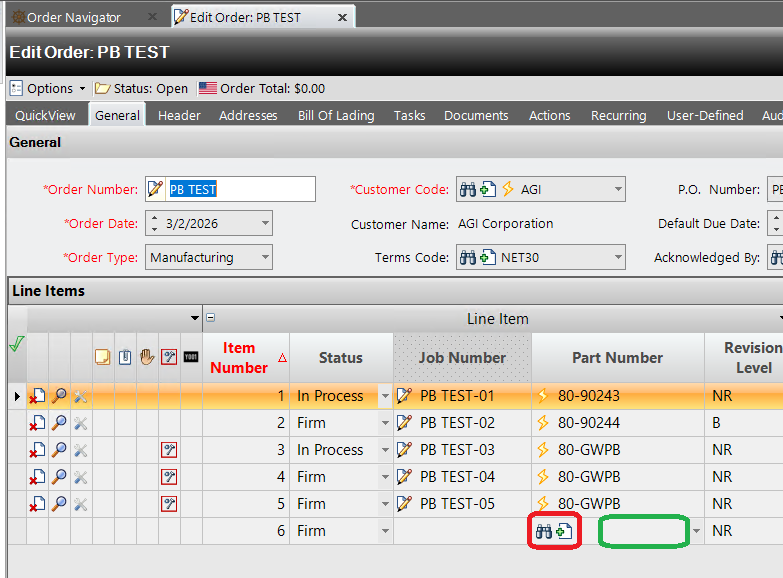
You can use Get element under OpenRPA.Image category, to find images in the screen ( if the screen and image size does not change )
Place a Click Element inside the body of the Get Element to click RELATIVE to where it found the image, by setting X/Y coordinate. So for example, if you want to click 50 pixel RIGHT to the center of the image, type 50 in X and 0 i Y.
Thanks a bunch, I’m learning…