Hi all,
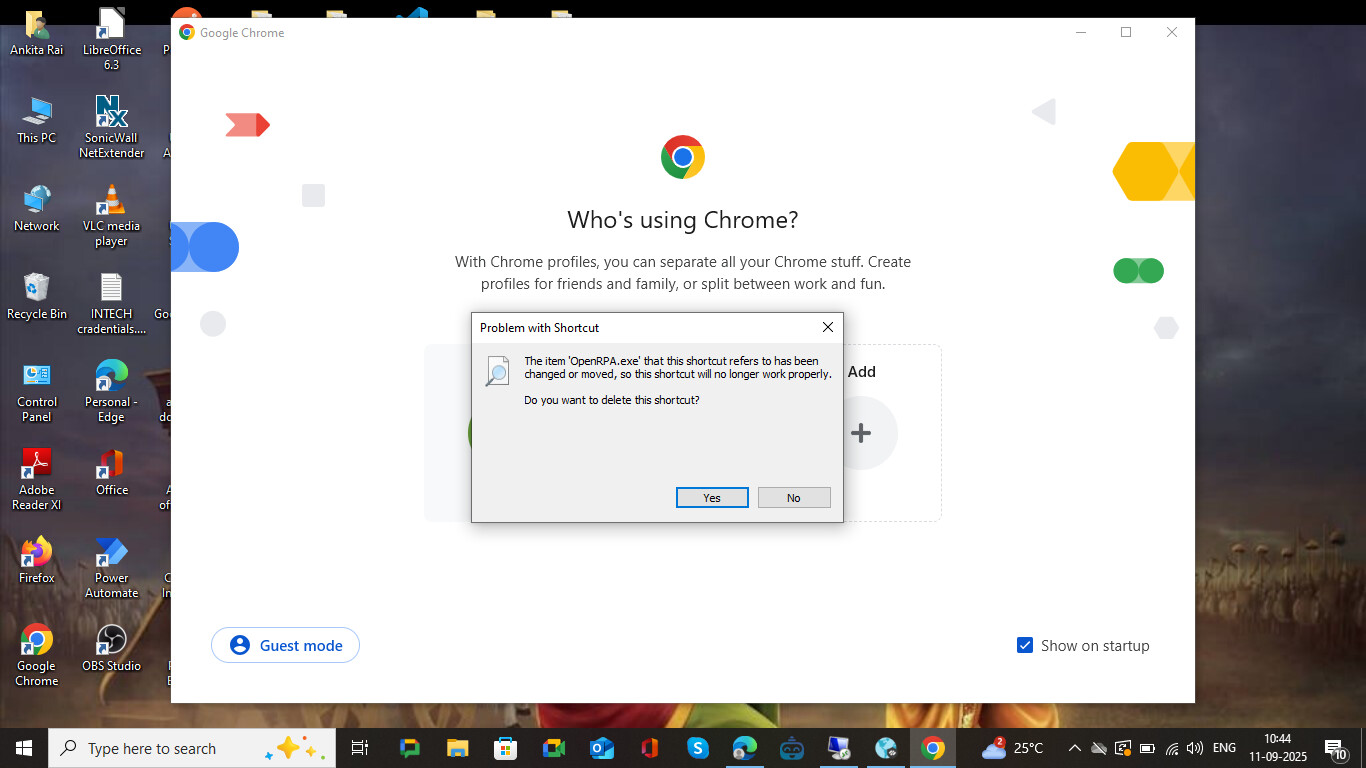
I’m facing a recurring issue with OpenRPA on Windows 10. The application suddenly stops working — the shortcut removes itself from the taskbar, and when I try to open it, I get a popup error (screenshot attached).
This has happened multiple times on my system, and the only workaround I’ve found is to reinstall OpenRPA each time, which is not ideal.
Has anyone else faced this issue? Any suggestions on how to fix it permanently or prevent OpenRPA from uninstalling/ breaking itself?
Thanks in advance!