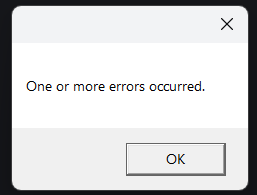
It also showed the “couldn’t download data” message but I couldn’t screenshot it. I tried changing wifi networks but the application on my machine won’t update all the flows I am changing in other machine. Checked openflow and it seems to get the changes.
I could download the flow and import it onto the application, but I want to know why it is failing like this.
I noticed @Alejandro_Moreno had a similar issue and got no response, so I am asking againg to see if there’s actually something we can do.
That error is not helpful, so it is hard to guess what could be wrong.
But if the error is NOT related to the missing updated workflows, check if you have more workflows than the maximum number OpenRPA will download (I cannot remember the number, but you can find it inside settings.json).
All errors should be caught and shown in the logs tab. Sometimes, Workflow Foundation itself will show errors in message boxes. In those cases, there is nothing I can do.
Try first removing permissions for the robot user to all the workflows and then add them back one at a time to see if it’s a corrupted workflow.
If you are running as an admin with access to everything, try running the robot as a “normal” user. Then give that user permission to one workflow at a time and see “when it breaks.”