Can we run any workflow using any api of openrpa?
That depends. Are you using OpenCore or running offline? If offline, you can use PowerShell (explainer here Scheduling Robot). If the robot is connected to OpenCore, you can use InvokeOpenRPA from any of the programming languages listed on the front page of OpenCore. There is also a temporarily unsupported Swagger API you can access using /docs.
Ohh so if I am using OpenCore where exactly I can see InvokeOpenRPA on the website of OpenCore or do you mean I need to mention it in code which are mentioned on front page of OpenCore? And the term “offline” do you mean something like we Self-host OpenCore/OpenRpa on docker or something like that? If yes then does it allow me to use the InvokeOpenRPA method from there also?
“Offline” might be a little misleading; it means running OpenRPA without connecting it to OpenCore. More details can be found at: Using robot “offline” | OpenIAP Documentation
the front page of OpenCore
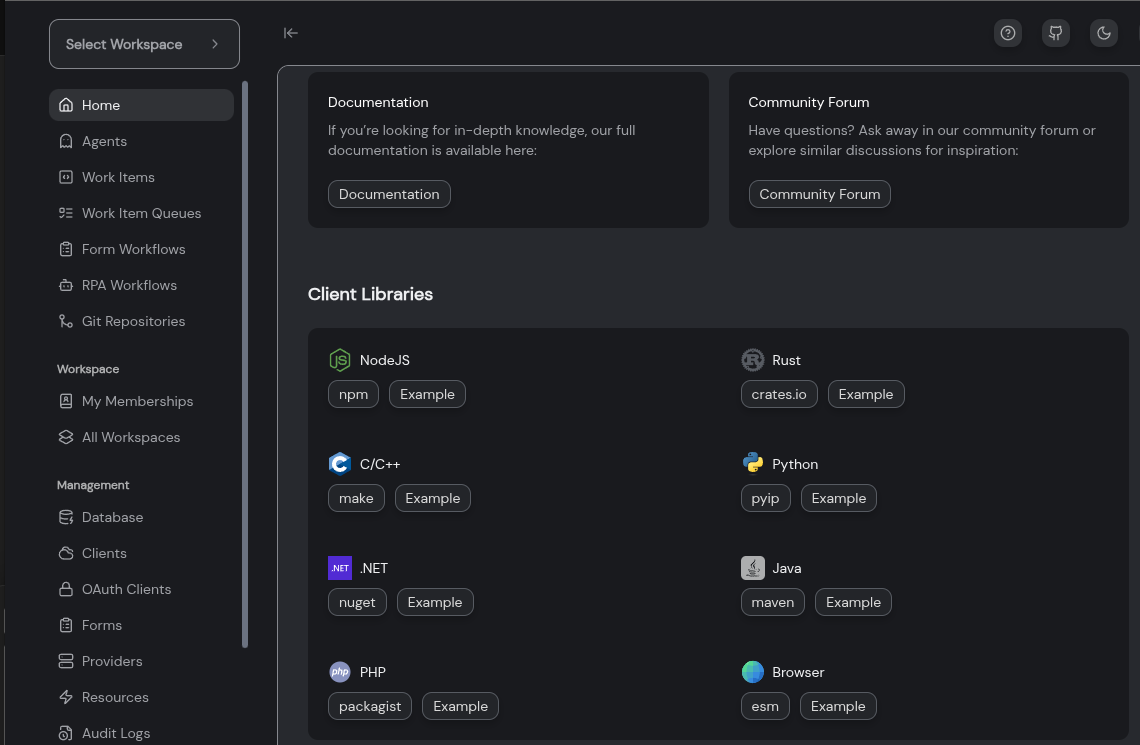
Alternatively, you can look at the SDK section in the docs: SDKs | OpenIAP Documentation
Yes, you can self-host OpenCore using Docker: GitHub - open-rpa/docker · GitHub
I checked the steps and followed them so now I have an opencore url something like this just an example:“http://111.444.254.134:8011” our admin provided this to us so now i pasted this is settting.json of OpenRPA like this as you can see in SS i have shared. So does this means now its “offline”? means its no more connected to offical OpenCore? and now data like workitem or queues etc everything will be private?
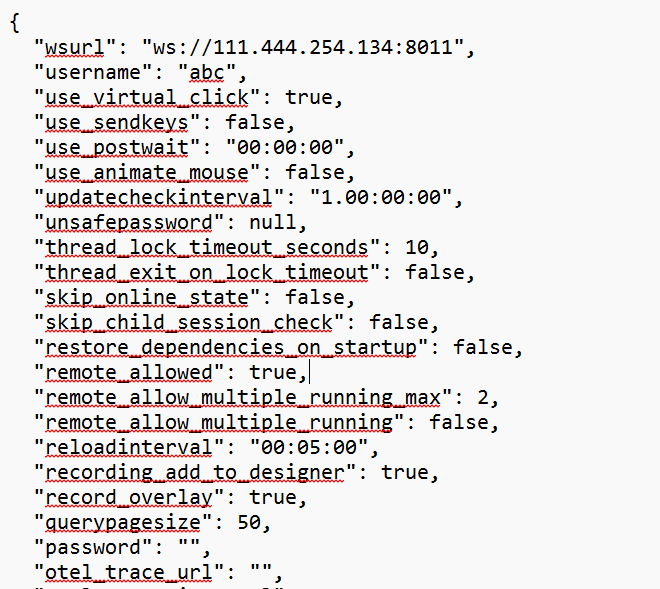
2- And now I can still open OpenCore website using this url … so as you mentioned I am still able to see the website of OpenCore and in docs it has mentioned this-“OpenRPA was made to work in tandem with OpenCore, but it can work in a standalone mode where it does not need to be connected to an OpenCore instance, but then you loose all the benefits from OpenCore.” what it exactly mean?
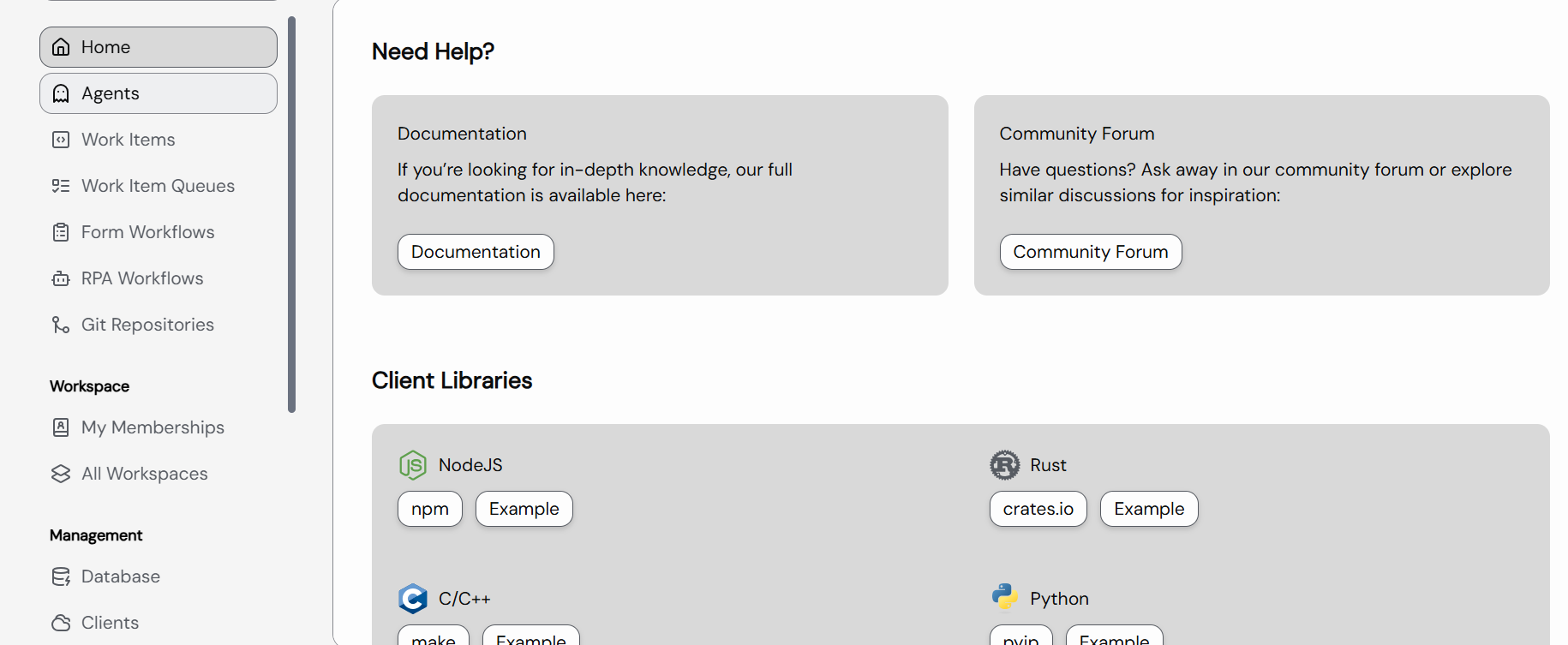
3- Our team achieved this using Docker so does this mean both method are same? Because after doing this we got the Url and I can access opencore using this url I have also attached SS of it.
It looks kind of same before doing this steps using docker can you please explain what features are limited for this version?
4- Is SDK section also i got something like this-
pub struct InvokeOpenRpaRequest {
pub robotid: String,
pub workflowid: String,
pub rpc: bool,
pub payload: String,
}
by this I can run any workflow right? and will it work for offline version also?
Quick thing to clear up first, because it’s the root of the confusion: offline and self-hosted are two different things.
- Online vs offline = is the robot connected to an OpenCore at all?
- Official vs self-hosted = whose OpenCore it connects to.
You are online and self-hosted. Your robot IS connected to OpenCore, just your team’s private instance instead of the official one. That is not offline.
Now your questions:
-
No. Pasting that URL into settings.json does not make you offline. It points your robot at your private OpenCore. You are still online, just to a different server. Your data is private because the instance is yours, not because you are offline. Separate concept.
-
“Standalone” / offline means the robot runs with no OpenCore behind it at all. In that mode you lose everything OpenCore gives you: queues, work items, scheduling from the server, central logging, multi robot coordination, the web console. The robot just runs local workflows on its own. You are NOT in that mode, so this does not apply to you.
-
No, Docker self-host is not the same as offline. It is the full OpenCore, running on your infra. That is exactly why it looks identical: it is the same software. Self-hosting itself does not strip features. Any feature differences come from your license tier, not from the fact that it runs on your own server.
-
Yes,
InvokeOpenRPAruns any workflow on a connected robot. But the call goes through OpenCore, so it only works while the robot is online to an OpenCore (yours counts). It does NOT work offline, because there is no OpenCore to route the call through. Offline you trigger workflows with PowerShell / command line instead (the scheduling link from before).
Short version: you are running self-hosted OpenCore, fully online, private data. You never touch offline mode in this setup.
Thanks alott for clearing my confusion!
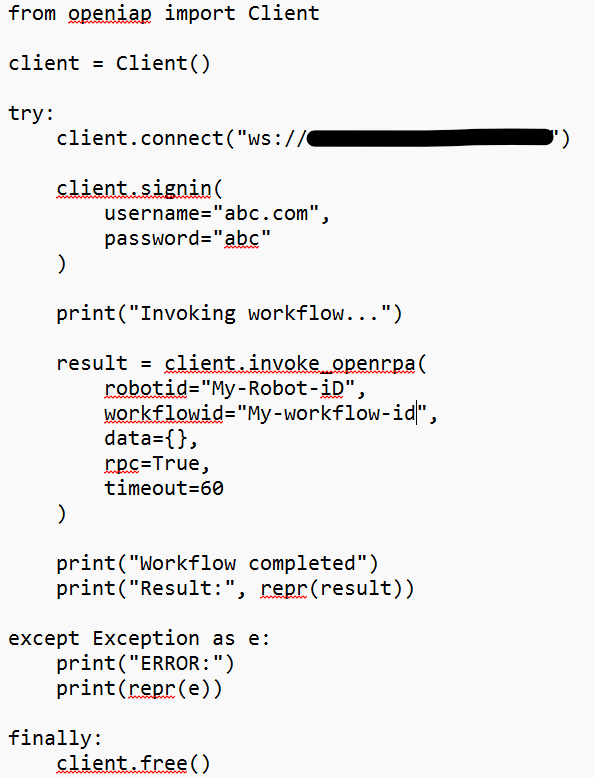
By going through Documentation for SDK of Python Example of OpenCore I somehow created a code in python to Invoke Workflow and it worked perfectly on my local machine, but as I tested this on different machine/server same code no changes I was not able to invoke the workflow. Does it depends on Python version or something?
My local machine Python version is 3.14
This is my example code which I used to connect to my self-hosted opencore and invoke the workflow-
On other machine I am getting this error when I run the code-
Traceback (most recent call last):
File “C:\Users\aa\Documents\abc\Invoke.py”, line 3, in
client = Client()
File “C:\Users\aa\AppData\Roaming\Python\Python314\site-packages\openiap\client.py”, line 60, in init
raise ValueError(“No jwt environment variable and no credentials in url”)
ValueError: No jwt environment variable and no credentials in url
Or
It says ERROR: ValueError(‘Channel closed’)
ERROR:asyncio:Exception in callback Future.set_exception(ValueError(‘Channel closed’))
handle: <Handle Future.set_exception(ValueError(‘Channel closed’))>
And sometimes thread mismatch error and asyncio loop error…
Is this happening because Python Version because its different on my other machine?
you need to set the JWT environment variable or call signin
That was a bit short… When running in VS Code, the OpenIAP extension will handle tokens for you via a .env file. When running on an agent, the agent will handle the tokens. If you just copy the script, it will not work without you setting up the two environment variables with the URL for OpenCore (OPENIAP_URL) and the token (OPENIAP_JWT). You can generate tokens by going to the user you want to run as and generating a token there.
I used this to first set these and then when I ran the script it worked.
set apiurl=ws://(same which i used for client.connect)
set jwt=newly generated jwt
Thanks…