Hi everyone,
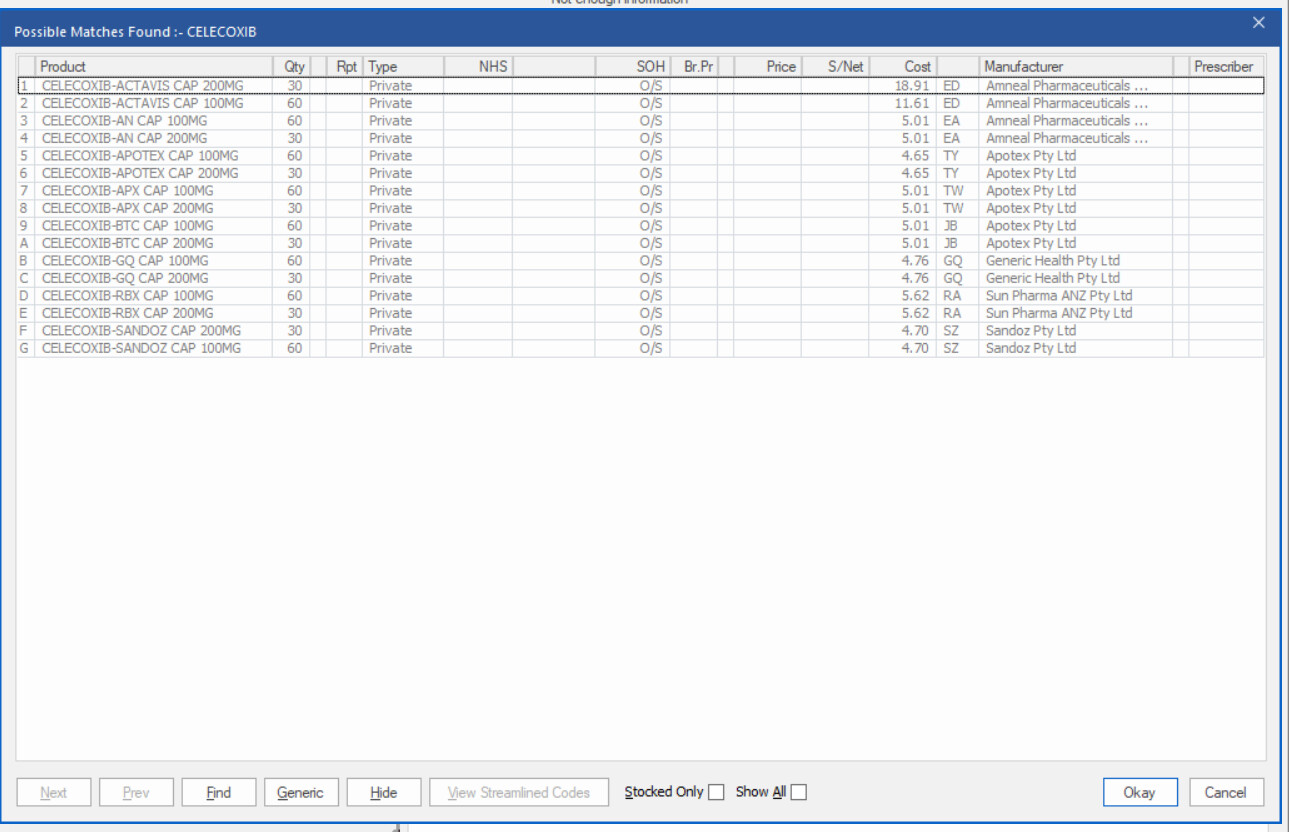
I am trying to read data from a Windows desktop application in OpenRPA.
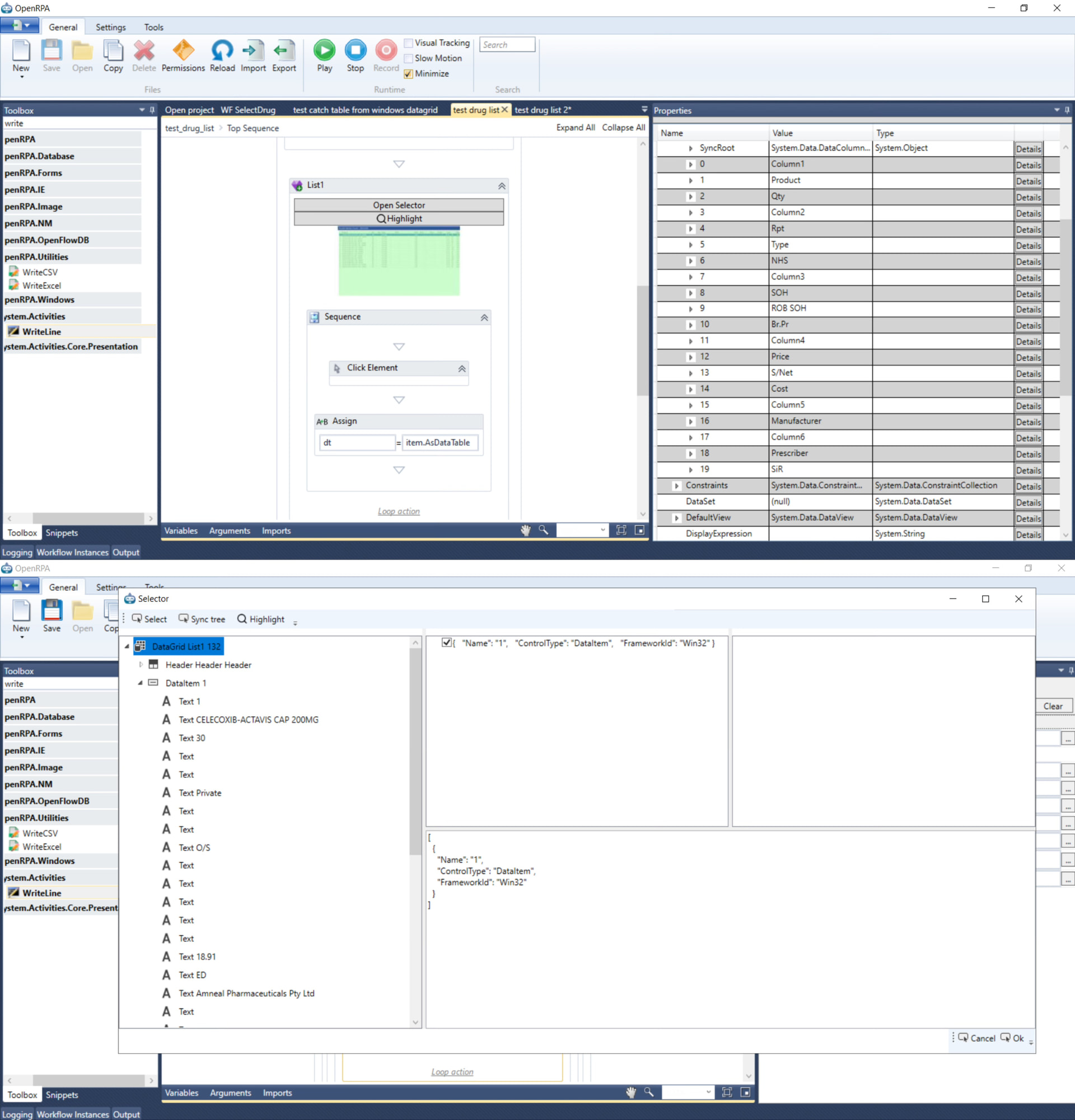
I followed Allen’s video method to read the grid. When I debug the workflow, I can see that OpenRPA gets table-like information.
Also, when I open the selector and sync the tree, I can see the actual text values under the grid.
It looks like OpenRPA can see the DataGrid and the Text/DataItem values.
However, when I try to output the data using WriteLine in the workflow, I cannot get the actual row/cell values.
Is this an expression/workflow issue, or a limitation of this applicationWin32 grid? What is the correct way to print rows from item.AsDataTable?
After you call item.AsDataTable (for instance, using the Assign node to assign it to a variable of type DataTable), add a breakpoint (F8) and run the workflow (press F10 if you need to move one forward). Then the property editor will become a variable inspector, and after the Assign, you should be able to expand the variable and its content to see the data (sorry, I cannot remember the exact names). If you see the row count is over 1 and the list of column names, then grab “For each DataRow” in the toolbox and use it to loop over the values in the DataTable. Then, using WriteLine, you can get individual cells using either the index (starting from 0) or column, like row(5) or row("Type").
Hi Allan,
First of all, thank you for the detailed reply! Apologies that I couldn’t upload my screenshots together in the previous post.
I followed your method, I am able to get the columns. However, when I try to use WriteLine to print the values inside the loop, the output is completely empty (no data comes out).
I also tried an alternative approach using “Get Element” to fetch the DataGrid list. Interestingly, I can see the actual text data inside the elements when inspecting the selector/tree, but when I try to extract and print it using WriteLine, there is still no output at all.
To troubleshoot, I tested this exact same way on a DataGrid in a different application, and it worked perfectly—it successfully fetched and outputted the table data. But for this specific software, the output remains blank.
Do you think this could be a limitation or compatibility issue related directly to how this specific software’s grid is built?
Thanks again for your help!
AsDataTable is code I wrote; it is not a “standard” thing in Windows automation, so there could be bugs in it. AsDataTable is purely using the same features as Get Element does, looping over columns and rows, so you can emulate it yourself. If using GetElement finds the data cells and can see the data, I think you should simply do that. Just make sure MaxItems is set high enough to the amount of data you expect in the datatable grid.